SAME SCREEN SIZE · DIFFERENT MODEL IDENTITY
Both 11 Inches: Can Two iPad Pro Generations Use the Same Case?
Do not choose a case by ‘11-inch’ alone. Identify the exact iPad Pro generation, then match it to the selected case’s current model options. CasePop lists older 11-inch Pro generations separately from M4/M5; a shared screen-size label is not a fit guarantee.
By CasePop Editorial ·
Check your iPad model in the Custom Studio →Start with the tablet, not the old cover
You have a familiar 11-inch iPad case, and the replacement tablet also says 11 inches. Reusing the cover sounds sensible. But a screen-size description does not identify the complete device, and a case that looks close in a photograph is not enough evidence of a fit. Before choosing a new custom design, establish which tablet will actually go inside it.
For a concrete comparison, consider an iPad Pro 11-inch, fourth generation, and an iPad Pro 11-inch with M4. These are two different model identities, even though both names contain 11-inch. This guide keeps the case style fixed and follows the model selection instead. It does not physically test either tablet in a shell or certify that an existing cover will fit.
Find the full model identity first
On the iPad, open Settings, then General and About. Find the Model Number field; if it displays a part number, tap it to reveal the model number. Match that identifier against Apple’s official iPad identification list. For example, Apple lists A2759 for the 2022 fourth-generation 11-inch Pro and A2836 for the 2024 M4 Wi-Fi model. Cellular versions have other identifiers.
Write down the complete matching name rather than copying only ‘iPad Pro’ or the screen size. For a gift, ask the recipient to provide the model name and model number, not an entire account or device-information screenshot. Serial numbers, email addresses and other personal details are not needed for this first comparison. If the identification is uncertain, pause the order.
Sources: Apple: find your model number · Apple: identify your iPad model. Identification references, not CasePop case-fit certification.
The two CasePop options are separate groups
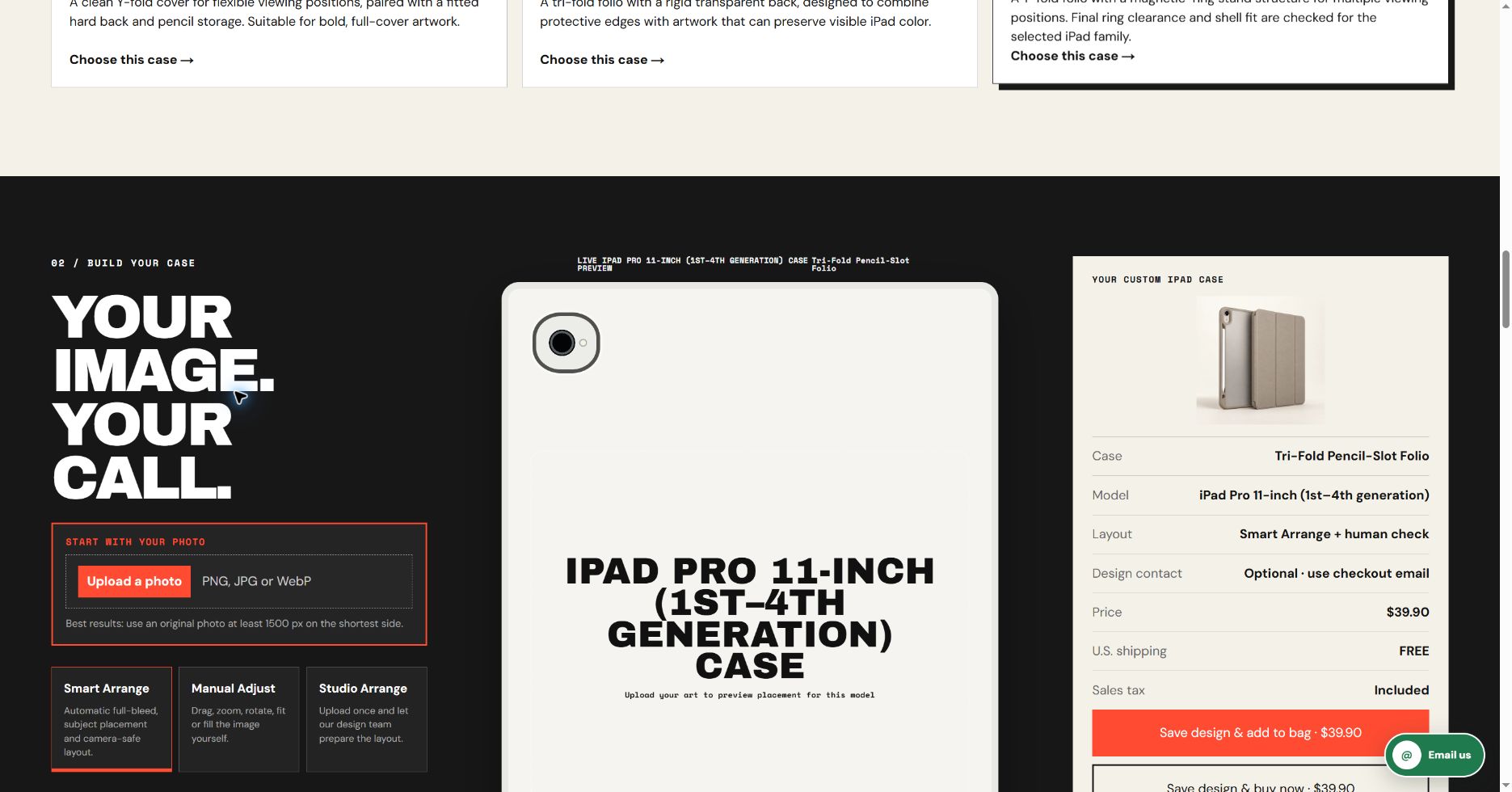
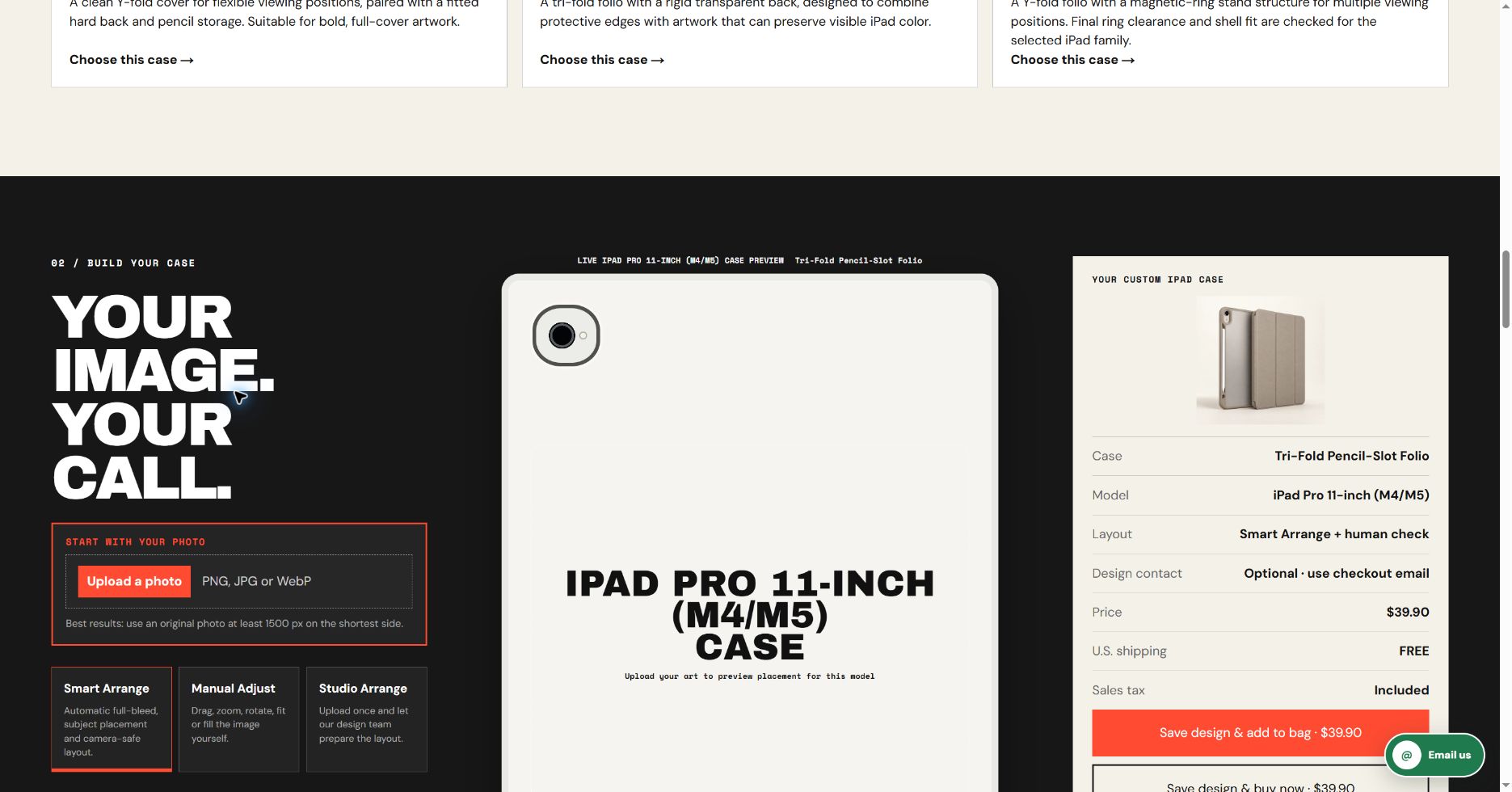
At the time of review, the CasePop iPad DIY studio offered ‘iPad Pro 11-inch (1st–4th generation)’ and ‘iPad Pro 11-inch (M4/M5)’ as separate selector labels. The fourth-generation example belongs in the first label; the M4 example belongs in the second. Read the full label each time, including everything in parentheses. Do not select an Air option merely because it also includes 11-inch.
These are grouped storefront choices, not a list of individually tested tablets. A grouped label does not let this article promise identical geometry or interchangeability within the group. If your exact device is not clearly covered, ask the studio to confirm the matching production blank before ordering. Availability and final shell details must be checked for your chosen device and case construction.
| Example device | Apple identifier example | CasePop selector label |
|---|---|---|
| iPad Pro 11-inch, fourth generation (2022) | A2759 | iPad Pro 11-inch (1st–4th generation) |
| iPad Pro 11-inch, M4 (2024) | A2836, Wi-Fi | iPad Pro 11-inch (M4/M5) |
Change the model, keep the rest still
The two captures below are real CasePop editor screens, made on October 16, 2026. Both keep Tri-Fold Pencil-Slot Folio selected, with the same empty artwork state and the same displayed US$39.90 price. Only the iPad model group changes. The summary’s Model line is the useful signal: check that it agrees with the option you intended to select.
No artwork was uploaded and no order was created for these captures. The outlines are on-screen placement guides, not photographs of finished cases or production cut-line templates. They show how to check an ordering choice; they do not prove camera clearance, physical fit, color accuracy or print quality. Keep that distinction when comparing your own preview with a real tablet.
Reuse the image, not an assumption about its crop
A favorite illustration can remain the starting image when you change devices. Keep the original file, then review its placement again with the correct model selected. A design prepared for one template should not be assumed ready for another just because both tablets use the same screen-size shorthand. Important lettering, faces and borders deserve a fresh check against the visible guides.
Do the checks in order: establish the device, choose an available case style, and then arrange the artwork. Changing all three together makes it harder to see what caused a different preview. If a group label leaves the final shell unclear, confirm that question before spending time perfecting a crop. The studio’s matching-shell review remains separate from what your browser displays.
Ask separately about accessories you plan to keep
A cover is only one part of the setup. If you depend on a keyboard, pencil, stand or charging arrangement, name the exact accessory when asking about compatibility. Do not infer that a pencil channel proves charging support, or that a magnetic-looking component guarantees compatibility with another accessory. This article has not tested those combinations and makes no such performance promise.
A useful question is specific: ‘My device is the iPad Pro 11-inch M4, model A2836. I want this case style and use this exact accessory. Is that combination supported?’ That is more actionable than asking whether an 11-inch case works. Keep personal account details and payment information out of a compatibility enquiry; the product identity is what matters here.
Read the summary once more before buying
The reviewed CasePop configuration lists iPad DIY at US$39.90. Treat that as the current service price checked for this guide, not a promise that every future option or checkout total stays unchanged. Re-read the live case name, model, design layout, shipping and policy information before proceeding. An unchanged price does not make two model selections interchangeable.
Use the Custom Studio link below to make your own selection. Confirm that the Model line matches the intended group, and resolve any exact-generation uncertainty with the studio first. If you already have a cover, rely on its maker’s exact compatibility information rather than this guide to approve reuse. The practical goal is a clearly identified order, not a rushed choice based on screen size.
A few final questions
Is every 11-inch iPad an 11-inch iPad Pro?
No. Read the complete family and generation or chip name. This article compares two Pro identities only; it does not treat the iPad, Air and Pro families as interchangeable.
Does selecting a grouped model prove physical fit?
No. It records your storefront selection. The matching production shell and any accessory requirements still need confirmation; the browser preview is not a physical fitting test.
Can I keep the same artwork when changing the selected model?
Keep the original image, but recheck its crop, important details and placement for the intended case. Reusing a file does not approve the old layout or the old shell.