The short answer: copy the complete model name
To choose the right iPhone case, open Settings → General → About, find Model Name, and match every word of that name on the product page before you choose a color. “iPhone 17” and “iPhone 17 Pro Max” are not interchangeable labels. The series number alone is not enough, and the editable device name at the top of the About screen is not the same thing as Model Name.
Apple's current iPhone user guide identifies Settings → General → About as the place to see the model name and model number. If the words on your phone and the words in the selector do not match exactly, pause instead of choosing the closest-looking option.
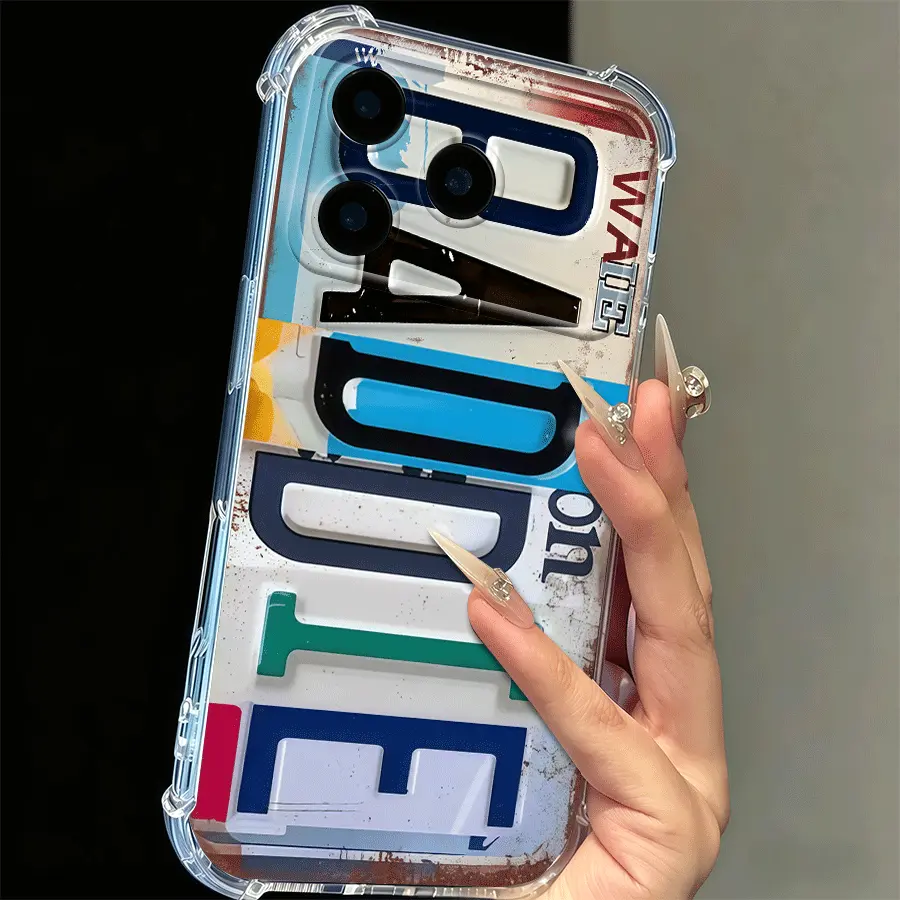
Distressed Color Block Baddie Phone Case
iPhone 17 Pro Max · Transparent · $8.88 USDThis link opens the exact iPhone 17 Pro Max and Transparent catalog option used in this guide. Change it only if your own Model Name says something different.
View this exact option →Why the suffix matters more than the series number
People often remember the generation and forget the rest. “I have a 17” sounds precise in conversation, but it leaves out the part a case selector needs. Regular, Pro and Pro Max are separate model names. A camera opening, button position and outer dimensions belong to that complete device design, so a case should never be selected from the shared generation number alone.
The same rule applies when a relative texts a screenshot, when a gift recipient says “the big one,” or when an old order confirmation uses an abbreviated title. Descriptions such as big, small, newer and three-camera are clues, not purchasing evidence. Ask for the Model Name field. For older devices or an unclear label, Apple also maintains an identify-your-iPhone reference organized by model number.
Do not use the phone's nickname
An iPhone can be renamed “Sam's Phone,” “Work Phone” or almost anything else. That name helps with services such as sharing and device lists, but it does not tell a case maker which shell to cut. On the About screen, keep reading until you find Model Name. Copy the complete text into a note if you are shopping across several tabs.
This distinction is especially useful for gifts. You can ask the recipient to copy one line from Settings without asking them to measure the phone or recognize its camera layout. If the gift must remain a surprise, check a reliable device record you already have access to; do not infer the model from a social photo.
Fix the fit first, then judge the design
Once the full model name is settled, design decisions become much easier. Hold the model constant while you compare artwork and color. In the three CasePop examples here, every link is set to iPhone 17 Pro Max. That lets the visual character change while the selected device stays the same.
The Color Block Baddie option uses the catalog color label Transparent and puts distressed lettering at the center. The Skeleton Hand Black Rose option uses Black and makes the dark illustration feel continuous with its background. Cream Minimal Matte uses White for a quieter field. These are catalog labels and visual observations, not promises about unlisted materials, impact protection or charging features.
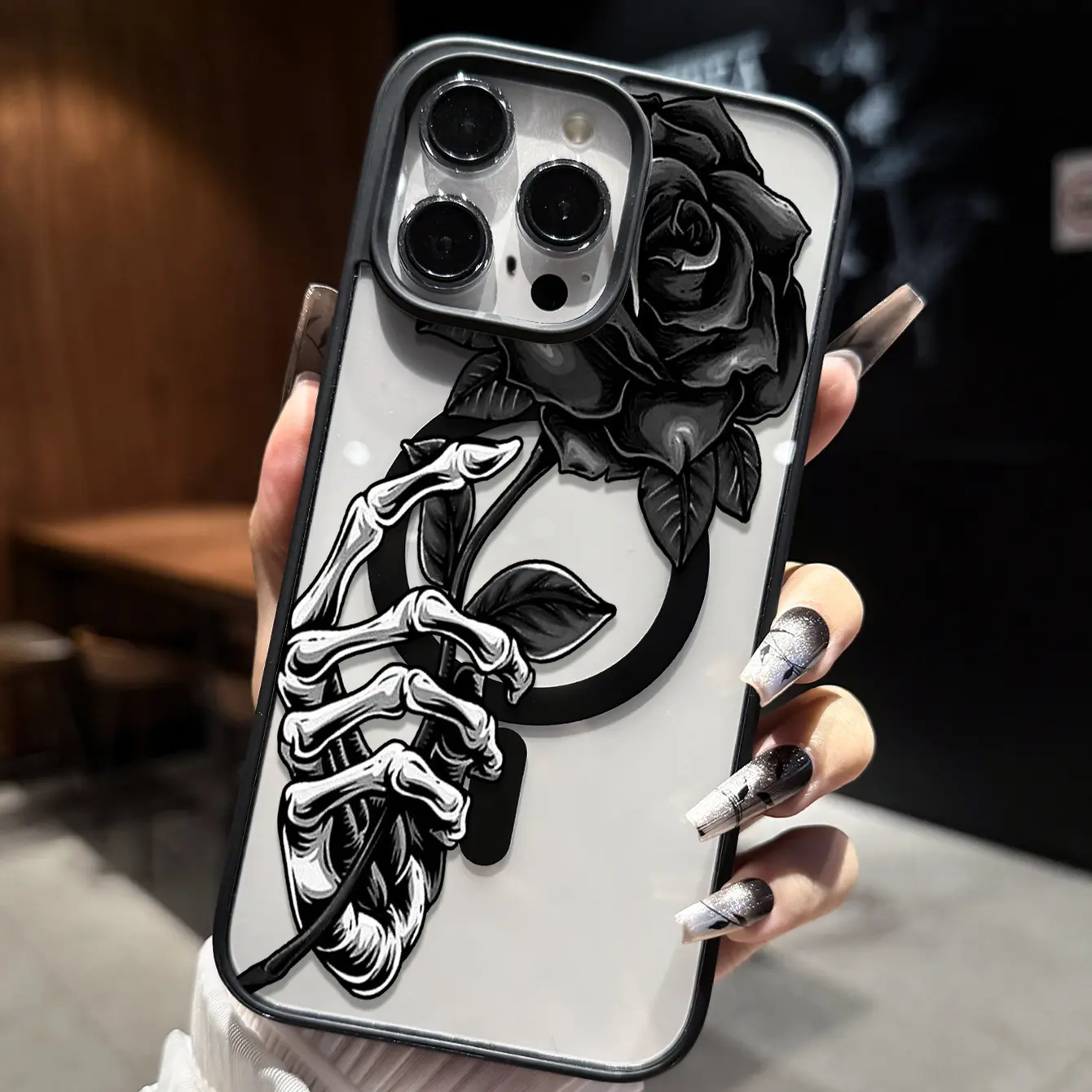
Skeleton Hand Black Rose Phone Case
iPhone 17 Pro Max · Black · $8.88 USDChoose this exact option when the complete model name matches and you want the black color selection shown in the current catalog.
View this exact option →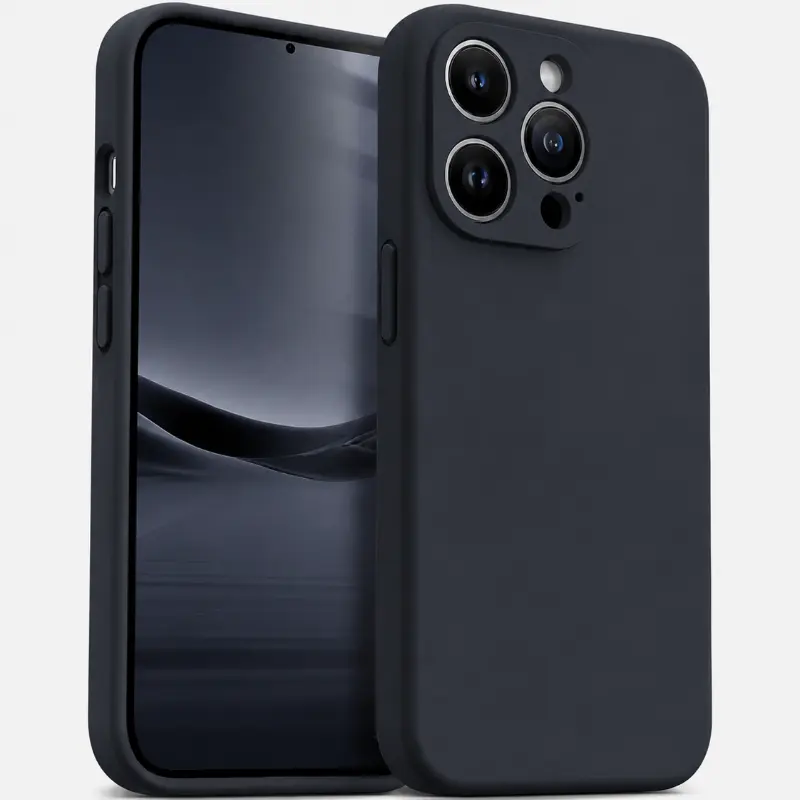
Cream Minimal Matte Phone Case
iPhone 17 Pro Max · White · $8.88 USDThis exact link keeps the same phone model but changes the color and visual direction, making the design comparison easier to evaluate.
View this exact option →Read an exact variant link as a starting point
A product link with a selected variant saves a step, but it does not replace your check. When the page opens, read the model and color shown beside the purchase controls. Confirm that the model still matches the phone and that the option remains available. Prices and availability can change, so the product page and checkout are the current decision points.
If you arrived from an image search or a shared link, inspect the words instead of assuming the picture is enough. A catalog image explains the artwork. The option selector identifies what can actually be ordered. Treat those as two different jobs.
Use the camera opening as a design check, not a model detector
Camera placement changes the balance of an illustration. A large word may sit lower, a portrait may need breathing room, and a repeat pattern may tolerate interruption better than a single focal point. Our phone case pattern-scale guide explains that design problem in detail.
What the camera should not do is identify the phone by itself. Several devices can look similar in a quick photo, and perspective hides size differences. First match Model Name; then use the product image to decide whether the artwork feels balanced around the opening shown for the listing.
A reliable order for comparing options
Start with Model Name. Next, open only products that list that exact model. Then choose the case color, because color can change the way transparent space, dark linework or pale artwork reads. Finally, compare the illustration at normal phone size rather than judging only a zoomed crop.
This order prevents a common shopping trap: falling in love with one color, discovering it is unavailable for the right model, and then choosing a nearby model to preserve the look. Fit is the fixed constraint. Color and artwork are the flexible parts. The quote phone case guide offers a similar hierarchy for typography-led designs.
Before you pay: a 30-second check
Read the selected model out loud and compare it with Settings. Read the selected color. Check the current price and availability on the product page. Review the shipping information and return policy, especially when buying for someone else. Then review the same product, model, color and total again in the bag and checkout before payment.
That final repetition is useful, not fussy. A precise model choice protects the design decision you already made. It means the color and artwork you considered belong to the device you actually carry.
The designer's conclusion
Choose fit before aesthetics, but do not treat fit as a dull technical step. The full model name defines the canvas: its proportions, camera interruption and available product options. Once that canvas is correct, a transparent graphic, black gothic illustration or quiet white case becomes a real design choice instead of a guess.
Questions about checking your iPhone model
How do I check which iPhone model I have?
On the iPhone, open Settings, choose General, then About and read the Model Name field. Use that complete name when selecting a case, including words such as Pro or Pro Max.
Will an iPhone Pro Max case fit the regular iPhone from the same series?
Do not assume it will. Case selection should match the complete model name shown on the phone, because the regular, Pro and Pro Max names represent separate product options.
Is my iPhone's custom device name the same as its model name?
No. The device Name can be edited by its owner. For case selection, use the separate Model Name shown in Settings under General and About.
Should I choose the phone model or case color first?
Confirm the phone model first. After the exact model is fixed, compare the colors and artwork that remain available for that product option.