CASEPOP JOURNAL / MAKE A PAIR
Matching Artwork, Different Phones: Make a Pair of Custom Cases
$35 per case · $70 for two
Create your first case →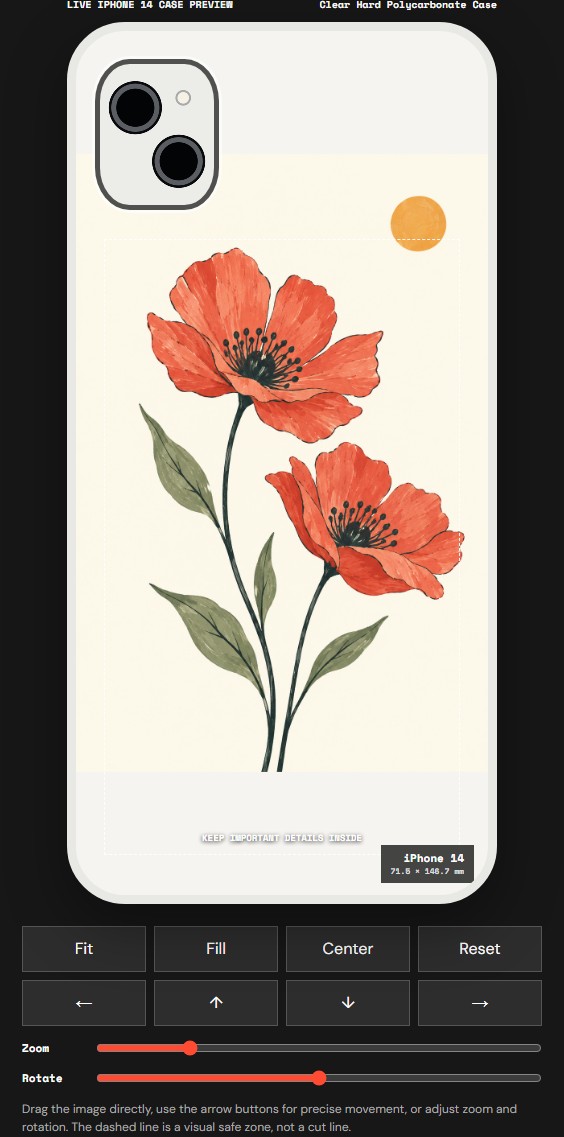
iPhone 14 · editor preview
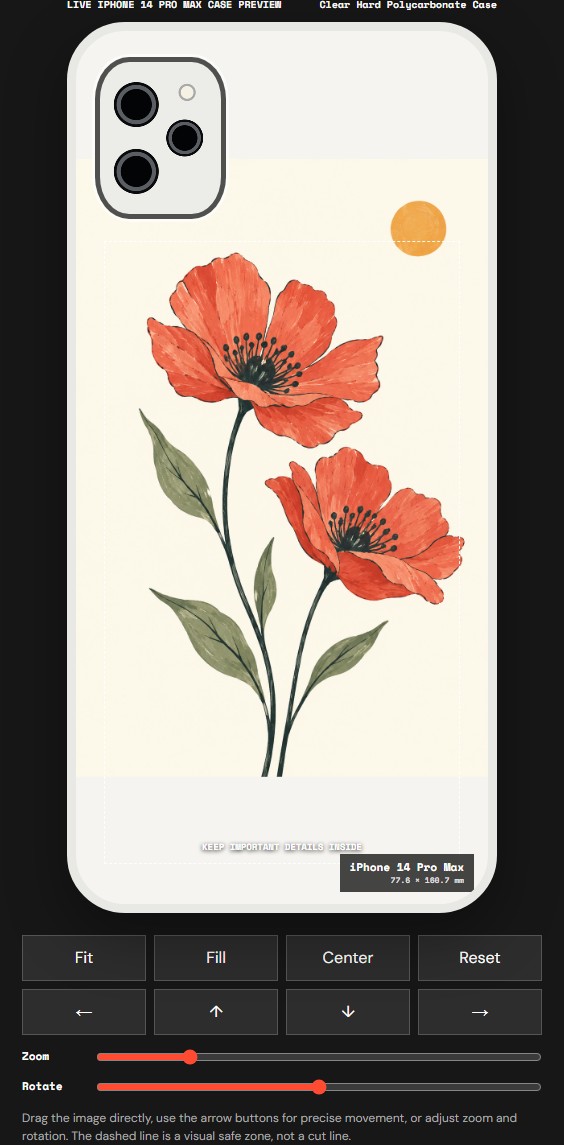
iPhone 14 Pro Max · editor preview
One illustration, two phones. Create a separate design for each exact model, then check both in your bag. Each custom phone case is $35; two are $70. The examples below use the same file on iPhone 14 and iPhone 14 Pro Max.
Actual editor screenshots with the same AI-created demonstration artwork; not printed-product photographs or a same-scale size chart.
The flowers give both versions a shared identity. You do not need to force their edges into identical positions. A pleasing pair can keep the same colors and main subject while allowing each phone its own layout. In these previews, Fit preserves the rectangular illustration and leaves space above and below it. That visible space is part of this placement choice, not a guarantee about how a transparent area will print.
The source illustration was created with AI for this studio demonstration. It is not a customer's drawing, a buyer review or evidence of a fulfilled order. Your case should use artwork you own or have permission to print.
Confirm both models before arranging either case
Write down the full model name for each phone, including Plus, Pro or Pro Max where relevant. In our example, iPhone 14 and iPhone 14 Pro Max appear as separate choices under the selected material. They are not interchangeable cases. A shared number in the phone name does not establish the same shape or camera opening.
Start with the first model in the live selector. If the second model is absent from your preferred material, check another listed material or contact the studio before ordering. Do not choose a nearby model just to continue. Available choices can change, so the current selector takes priority over the examples in this article.
Match the artwork, then compare the finish
Using the same material for both cases is a simple starting point when both models are offered. Our two screenshots use Clear Hard Polycarbonate Case. Clear Flexible TPU Case is another option currently shown in the studio, but its name alone does not promise the same feel or appearance as the hard case.
If you choose different materials, keep the artwork consistent and expect the cases themselves to differ. Screen previews help you compare placement; they cannot prove that two different surfaces will reproduce color identically. Ask about a material or printing detail that matters to your pair before paying, instead of relying on a generic product photograph.
Prepare one source file and use it twice
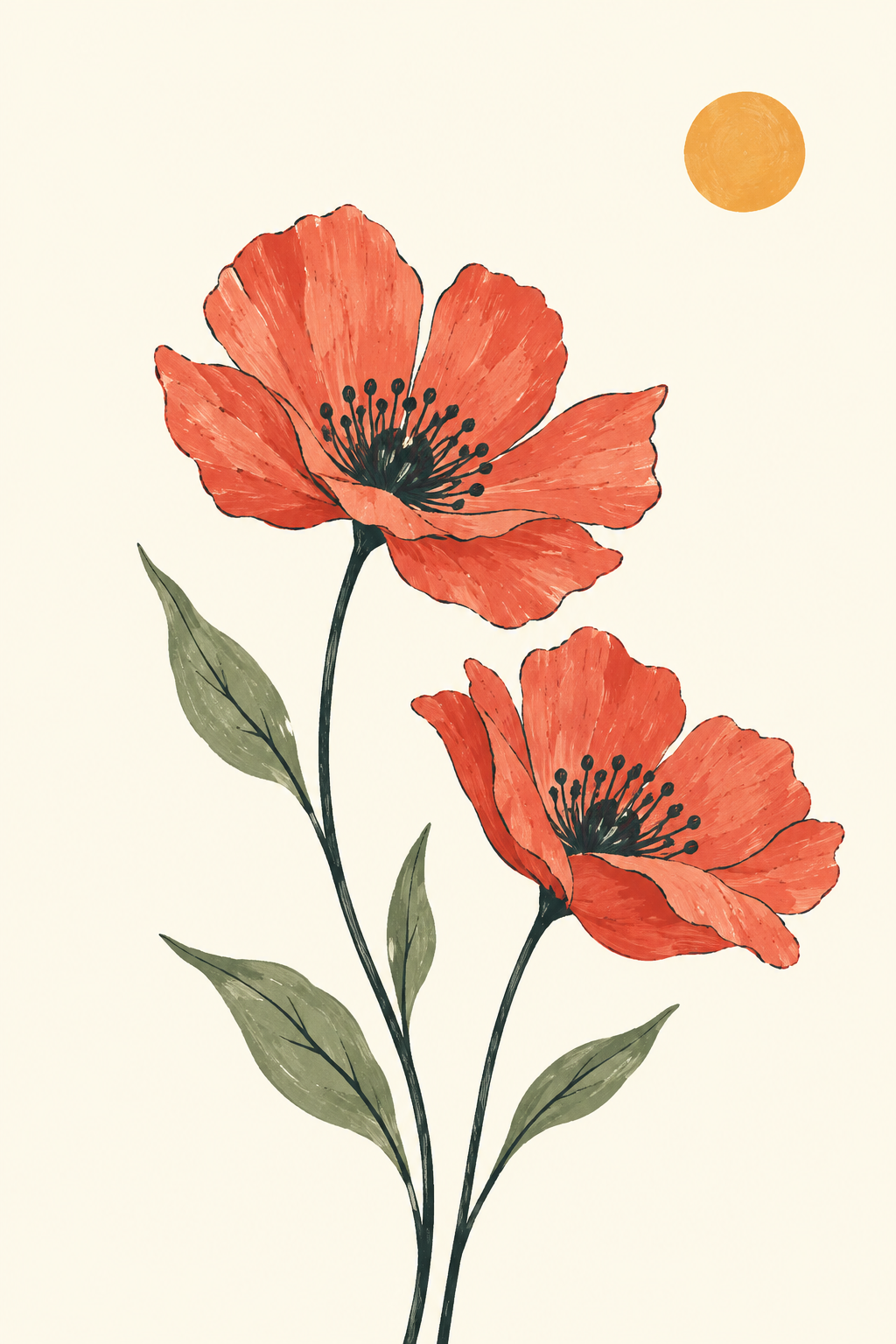
AI-created studio illustration used only to demonstrate the workflow. The ivory background belongs to the image; it is not a transparent PNG.
Keep the original PNG, JPG or WebP available on your device. The current editor accepts one image file up to 12 MB for each design. Reusing that source is better than taking a screenshot of the first case preview: a screenshot would include the first phone's camera area, labels or other interface details.
For two slightly different versions, make two clearly named files before starting. You might keep the same illustration and change a small detail in your own artwork. The photo-upload flow does not create a second editable text layer for you. Any lettering should already be in the image, or discussed through Studio Arrange.
Review each crop independently
Select the model, upload the source and choose Manual Adjust if you want to control placement yourself. Fit is a useful starting point for a complete drawing. Fill covers more of the case area and can crop the image. Neither setting can decide which tiny detail is important to you.
On the second model, repeat that review rather than assuming the first crop carries over perfectly. Look at the camera area, the outer edges and the subject's balance in the remaining space. If the design includes initials, eyes or a signature, check those details on both versions. You can also choose Studio Arrange and describe what must stay visible. The preview is a placement guide, with production checks still needed before printing.
Add two designs, then check the bag
Finish the first design and use Save design & add to bag. Return to DIY Studio to prepare the second case from the same original file, selecting the second phone model. Treat each model as a separate custom design. Increasing the quantity of the first item is not a way to change its model.
Before checkout, look for two separate items with the intended model and material on each. Check the artwork preview and the quantity as well as the price. At the current $35 unit price, this example's two phone cases total $70. Standard shipping to eligible U.S. addresses and applicable sales tax are included under the current offer. Review the actual order summary before payment, especially if you add other products.
Keep the pair personal and easy to finish
If these are gifts, you only need the recipients' confirmed phone models to start designing. Avoid putting private addresses or contact details into the artwork unless that is a deliberate choice. For model or material questions, use the studio's email contact before placing the order. The current shipping and returns pages explain the order conditions.
Open DIY Studio and create the first case →
Before you start
Can matching cases use different phone models? Yes, when each exact model is available for its chosen material. Create and check a separate design for each phone.
Do I upload the screenshot of my first preview for the second case? No. Reuse the original artwork file so the second design does not inherit the first phone's camera drawing or editor labels.
Does quantity two select two different phone models? No. Quantity repeats the selected item. Create separate designs for different models and verify both lines in the bag.
Is this a discounted pair? No. This example uses the current $35 price for each phone case, or $70 for two. Check the live order summary before paying.