Decide which color you want to see
Start with the phone you already own. If you bought a particular finish because you enjoy seeing it on your desk, in a mirror or next to your bag, look for an open area in the case artwork where that finish can still contribute. A clear panel and a colored border can give you both the original phone color and a visible frame.
If you are tired of the original color or want a specific color to coordinate with accessories, start with a case that presents a more continuous field of color in its pictures. Judge the design as a whole. A solid-looking back can still leave the camera area or other small openings visible, so it does not necessarily cover every part of the phone.
An easy way to decide is to imagine both examples on the same phone. Which color should a friend notice first from across the table? If the answer is the phone, start with the clear design. If the answer is the case, start with the solid color and use the phone finish as a secondary detail.
Compare two iPhone 16 Pro examples
The linked Magnetic Clear Phone Case selects Black for iPhone 16 Pro. The catalog view shows an open-looking center with a dark frame and a visible ring. If you want the phone finish to remain part of the composition, look at the spaces around the ring and away from the edge. If you want the back to look visually plain, take the ring into account even though the middle is clear.
The linked Pastel Solid Color Phone Case selects Rose powder for iPhone 16 Pro. The catalog image is useful for seeing the plain-back styling. Use the selection summary to confirm the color being ordered. Shared catalog pictures are not a guarantee of the exact shade, and colors can look different on different displays.
Both selected configurations were shown at $9.90 USD when checked. That gives you a way to compare the visual trade-off at the same listed price. Verify the current price, exact option and availability on the product page. Check the delivered total for your destination before paying.
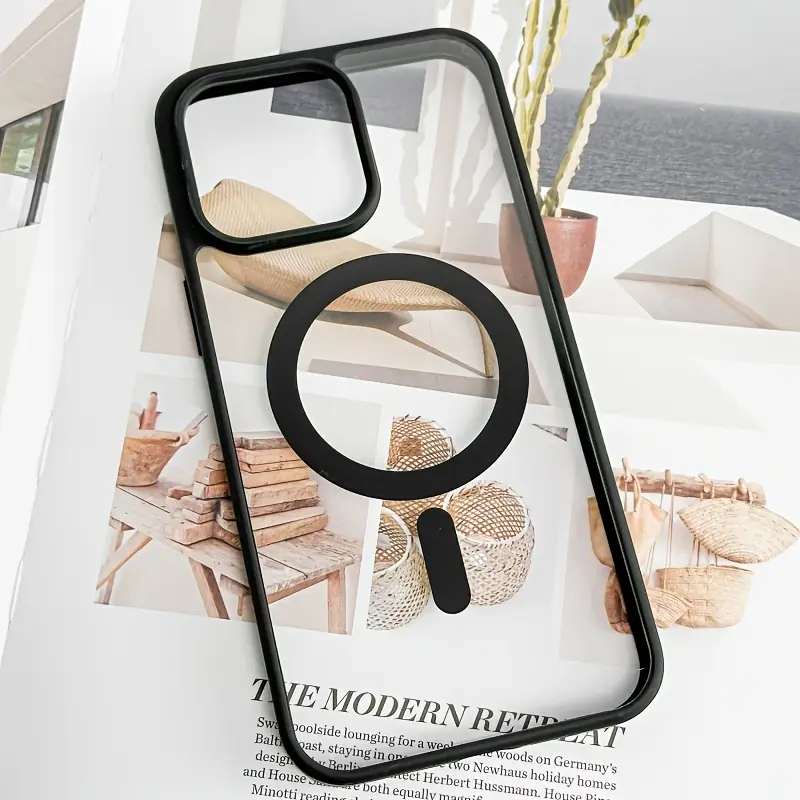
Magnetic Clear Phone Case
iPhone 16 Pro · Black · $9.90 USD at catalog checkCatalog image illustrates the artwork. Check the selected model and color on the product page.
View this exact option →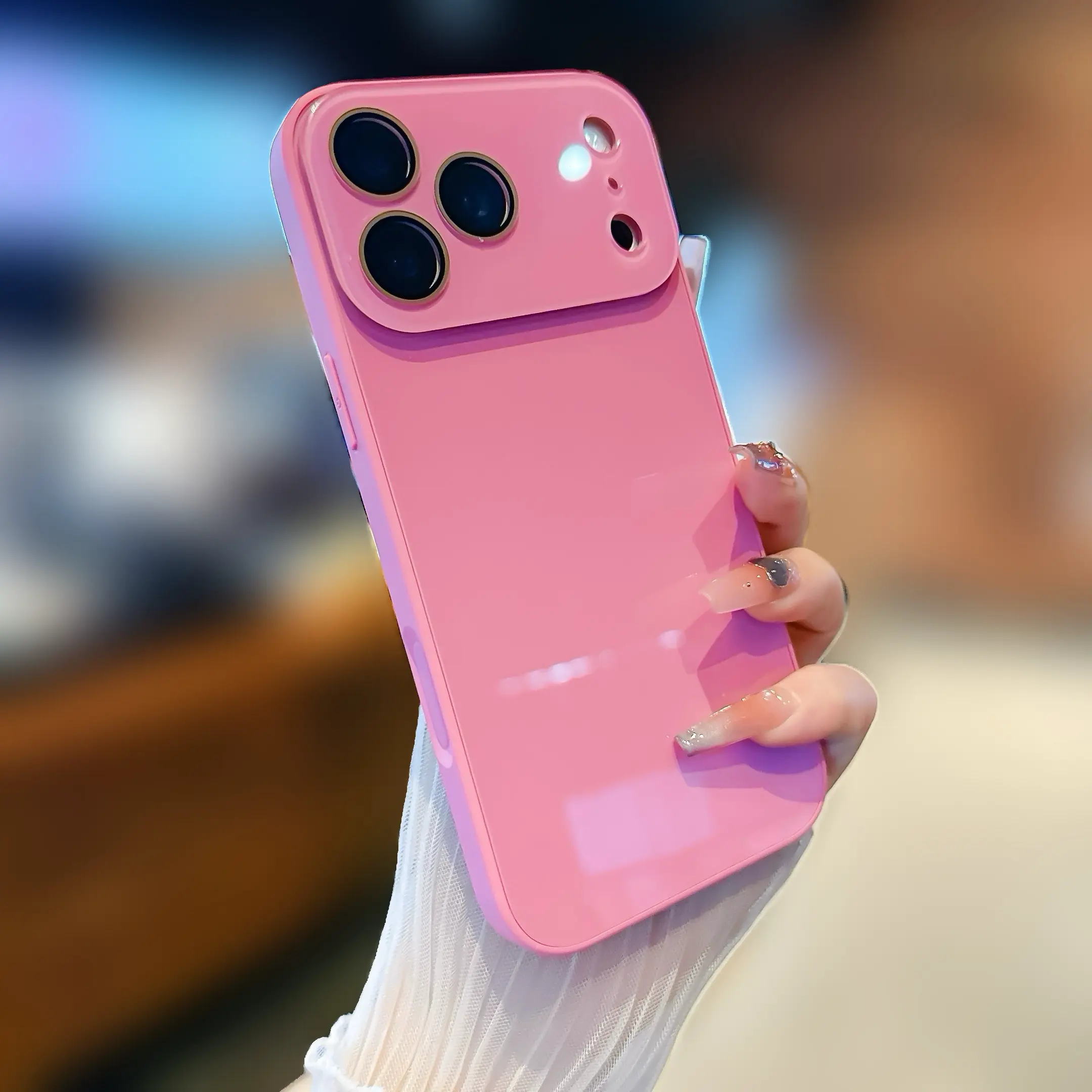
Pastel Solid Color Phone Case
iPhone 16 Pro · Rose powder · $9.90 USD at catalog checkCatalog image illustrates the artwork. Check the selected model and color on the product page.
View this exact option →Look separately at the panel, the edge and the camera area
First look at the largest part of the back. A background in a product photo may come from the scene, from the example phone or from the case. If the photo shows a clear design on a light background, it does not show exactly how it will look on a dark phone. The phone you own can alter the contrast between the clear areas and any printed or structural details.
Next look at the edge. A listing may let you select a color even when the case is described as clear. Treat that label as part of the order option and check the option summary after switching between colors. If the image does not change, use the available images for broad styling and ask for clarification if an exact edge color is essential.
Finally check the camera area. The opening is a practical fit detail and a visible break in the design. Use the exact model selector to decide fit. An attractive picture for another model can still be useful inspiration, but it cannot confirm the shape or placement on the model you are buying for.
Make the final check with your phone in hand
On the iPhone, open Settings, then General, then About. Read the full Model Name. The two links here open an iPhone 16 Pro selection to make the visual comparison consistent. If your phone is a different model, change the model on the listing and check the available colors again. Similar names do not make the devices interchangeable.
Put your phone next to your screen in normal daylight. Think about how often you see the back in that light, not just in an enlarged listing photo. For a gift, try to learn the recipient’s exact model and which color they like seeing. If you do not know the original finish, a continuous solid design can be a simpler styling decision.
Once you choose, read the model and color in the shopping bag or checkout summary. If you change your mind about how much of the original finish you want to show, return to the listing and confirm the new selection before continuing. Ask CasePop about the specific SKU if the catalog photo leaves a detail you care about unclear.
Quick answers
Will a clear case look the same on every iPhone color?
The original finish can change how clear sections and visible details look together. Use the photo to judge the case design and your own phone to judge the color combination.
Does the color name always describe the whole back?
No. In a clear design the listed color may refer to an edge or other details. Read the exact option summary and check the product’s images before ordering.
Will a solid color cover every visible part of the phone?
The back may look more uniform, while the camera and other openings can still show areas of the phone. The amount visible depends on the design and exact phone model.
Can I order the examples for another model?
Choose the exact model on its listing and confirm the color and availability again. The article links select iPhone 16 Pro for comparison.
Ask about a specific listing
Contact CasePop Customer Care or browse more CasePop buying guides.